Latest Posts

What is SAST(Static application security testing)?
January 20, 2022
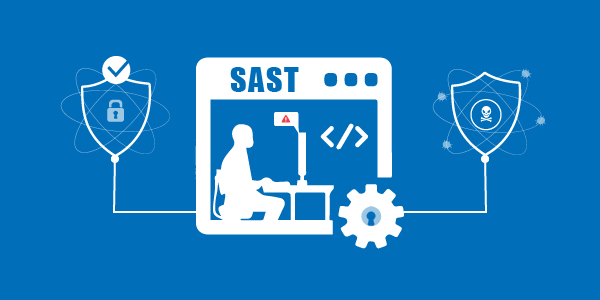
Static Application Security Testing (SAST) is a popular Application Security (AppSec) tool that checks an application's source, binary, or byte code. It is a white-box testing tool that detects the start of vulnerabilities and assists in the remediation of the underlying security problems. SAST solutions examine an application from the "inside out," They do not require a running system to scan it.

Why do we need SAST?
SAST decreases application security risks by providing developers with instant feedback on vulnerabilities brought into code during development. It assists developers in learning about security while they work by giving real-time recommendations and line-of-code navigation, allowing for quicker vulnerability detection and collaborative auditing. This will enable developers to write more code less vulnerable to hacking, resulting in a more secure app.
SAST tools outperform human audits because they are more efficient.
- They can be used to do more frequent code inspections.
- In addition, they can store security information without requiring the same level of security as a human operator.
Advantages OF SAST
- They hunt for theoretical flaws, such as established patterns of vulnerability that developers may be unaware of.
- One may make the testing process more efficient by automating it.
- They're adaptable.
- They're great for situations like SQL Injection Flaws that can be identified automatically and with high certainty.
- Because these tools highlight the exact spot in the code where faults exist, the output is simple to understand for developers.
- Fixing vulnerabilities is less expensive because it occurs at the beginning of the process.
- Provides real-time feedback as well as graphical representations of the hindrances discovered.
- Customized reports that can be exported and tracked using readily accessible dashboards.

Disadvantages OF SAST
- Needs to derive data from testing code, resulting in false positives.
- Poor at comprehending libraries or frameworks, such as API or REST endpoints.
- It is not possible to check calls for most argument values.
- Language dependence(Such as java based, python based) makes it harder to create and maintain tools, because it necessitates a separate tool for each language.

How to perform SAST?
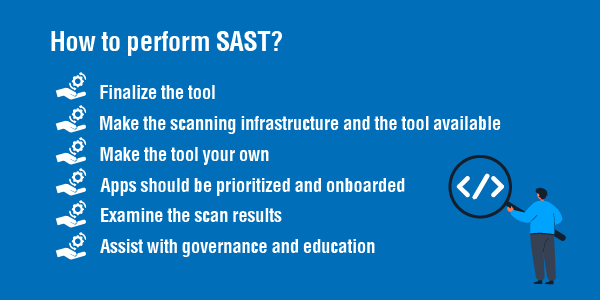
In enterprises with many applications built with multiple languages, frameworks, and platforms, there are six basic steps to performing SAST efficiently.
Finalize the tool: Choose a static analysis tool to review code in the programming languages you use. The device should also be able to comprehend your software's underlying foundation.
Make the scanning infrastructure and the tool available: This stage entails dealing with licensing requirements, setting up access control and authorization, and obtaining the resources needed to implement the device (e.g., servers and databases).
Make the tool your own: Fine-tune the device to meet the organization's needs. You could write new rules or update current ones to eliminate false positives or uncover more security flaws. Generating dashboards for tracking scan results and creating custom reports after integrating the tool into the built environment.
Apps should be prioritized and onboarded: Onboard your applications once the tool is ready. If you have a considerable number of programs to scan, start with the most dangerous ones. All of your applications should eventually be onboarded and regularly reviewed, with scans synchronized with release cycles, daily or monthly builds, or code check-ins.
Examine the scan results: This stage entails triaging the scan results to eliminate false positives. Once the list of concerns is complete, it should be tracked and distributed to the deployment teams for proper and timely resolution.
Assist with governance and education: Your development teams will use the scanning tools correctly if you have good command in place. Within the SDLC, software security touchpoints should be present. SAST should be used during the development and deployment of your application.